Turn Any PDF Into a Shareable QR Code

Upload your PDFs, turn them into QR codes, and control how they’re viewed — all in one place.

hero-mockup

How PDFQR Works

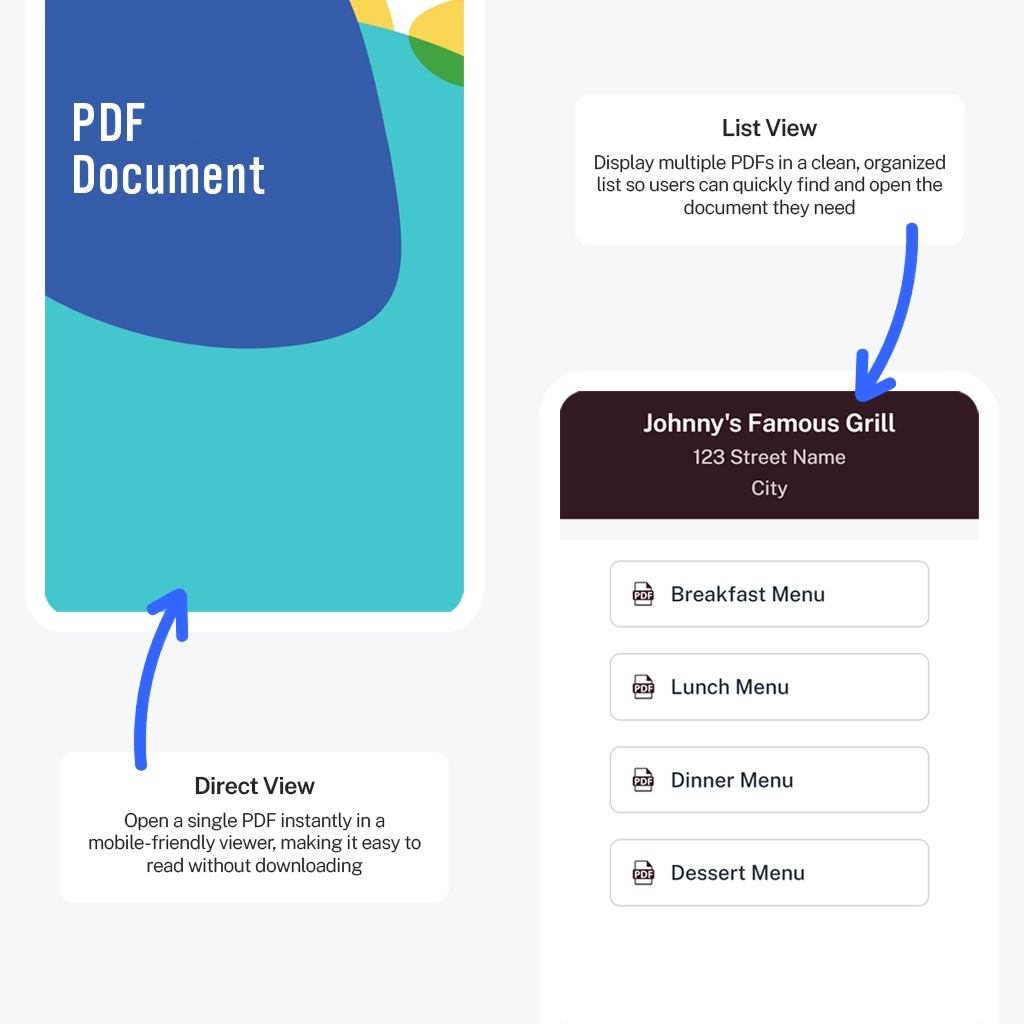
PDFQR transforms your PDFs into mobile-optimized viewing pages accessible through a QR code. Every QR code can display a single PDF or an entire collection of PDFs, making it ideal for menus, manuals, brochures, reports, schedules, and multi-document kits.
Step 1 — Upload Your PDFs

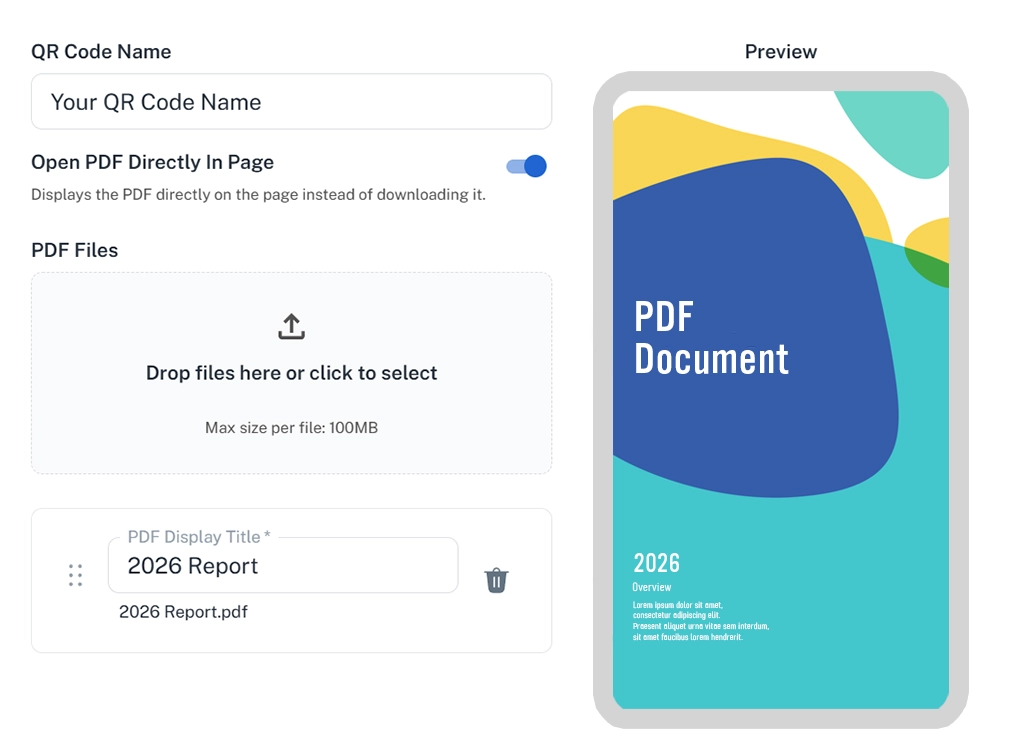
Step 1 — Upload Your PDF Files

Create your QR code by uploading one or multiple PDF files in seconds.

  • Upload PDFs with drag & drop or file selection
  • Choose whether PDFs open directly in the page
  • Organize your PDFs by rearranging their order and renaming each file’s display title
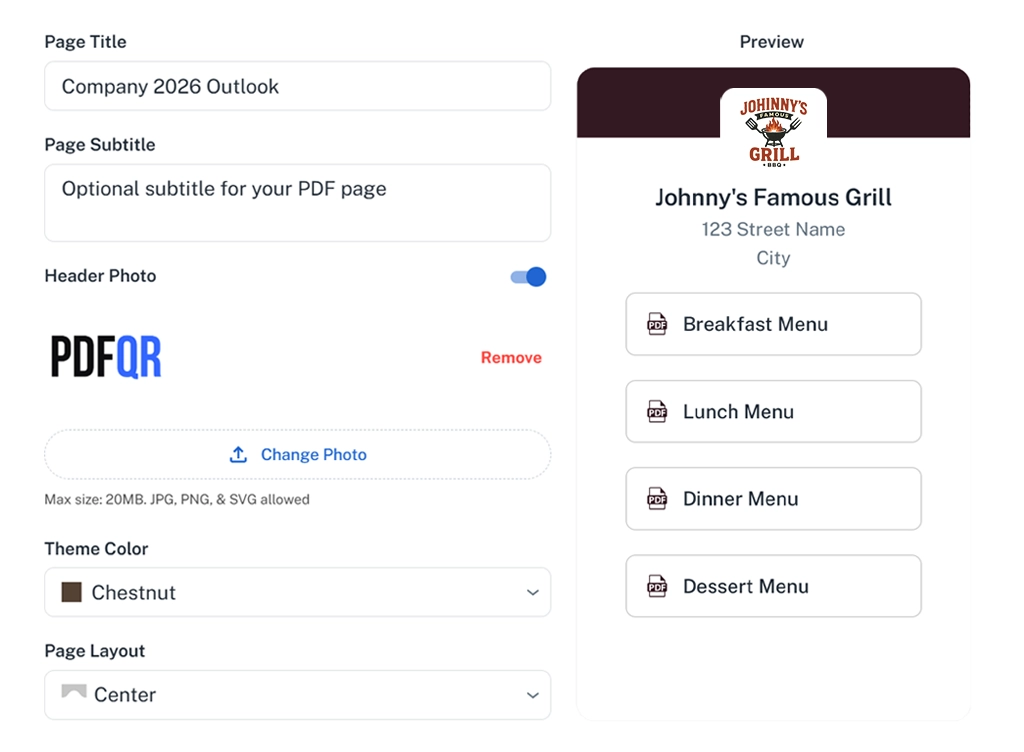
Instant preview updates automatically as you upload, so you always see exactly what users will see.

Step 2 — Customize the Viewing Experience

Step 2 — Customize the Viewing Experience

Control how your PDFs look and how users interact with them.

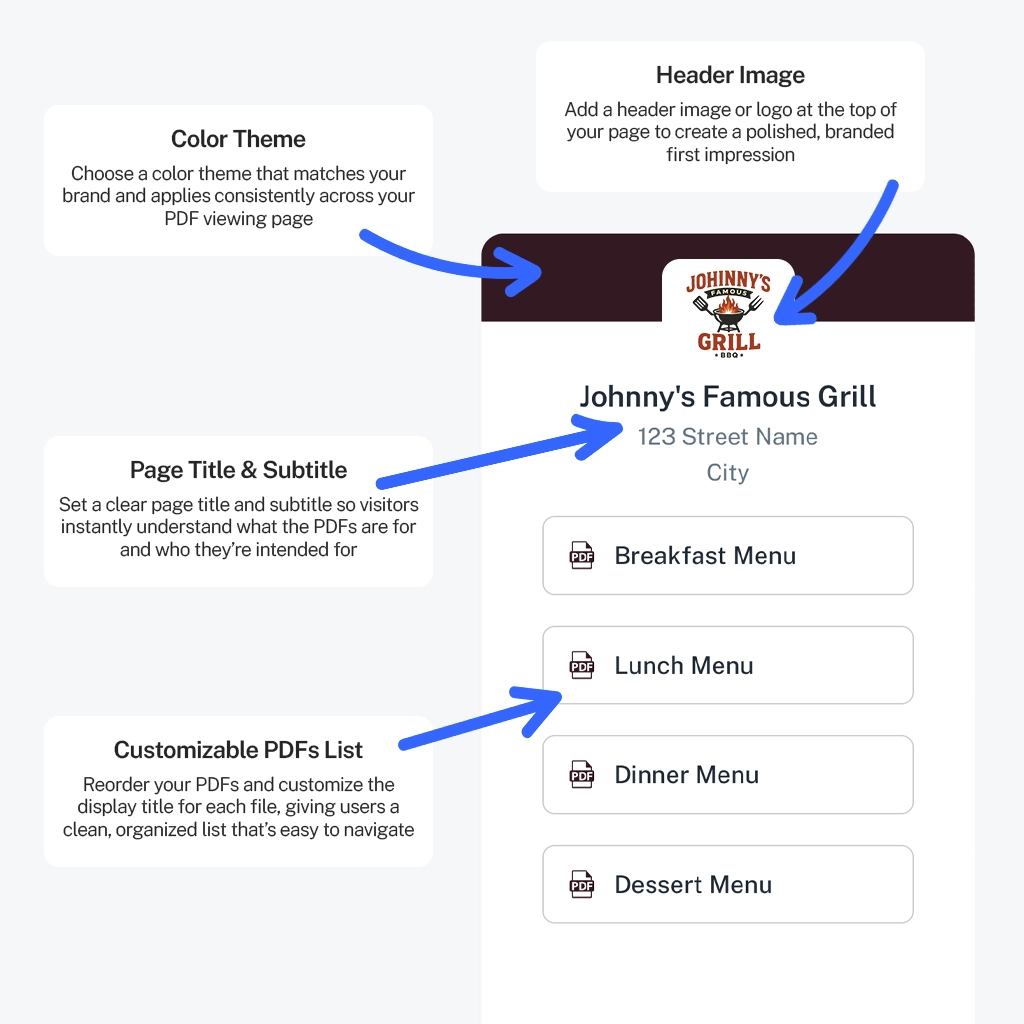
  • Set a clear page title and optional subtitle
  • Add a header image or logo for branding
  • Choose a theme color to match your brand
  • Arrange PDFs and customize display titles
All changes appear instantly in the live preview, making it easy to fine-tune before publishing.

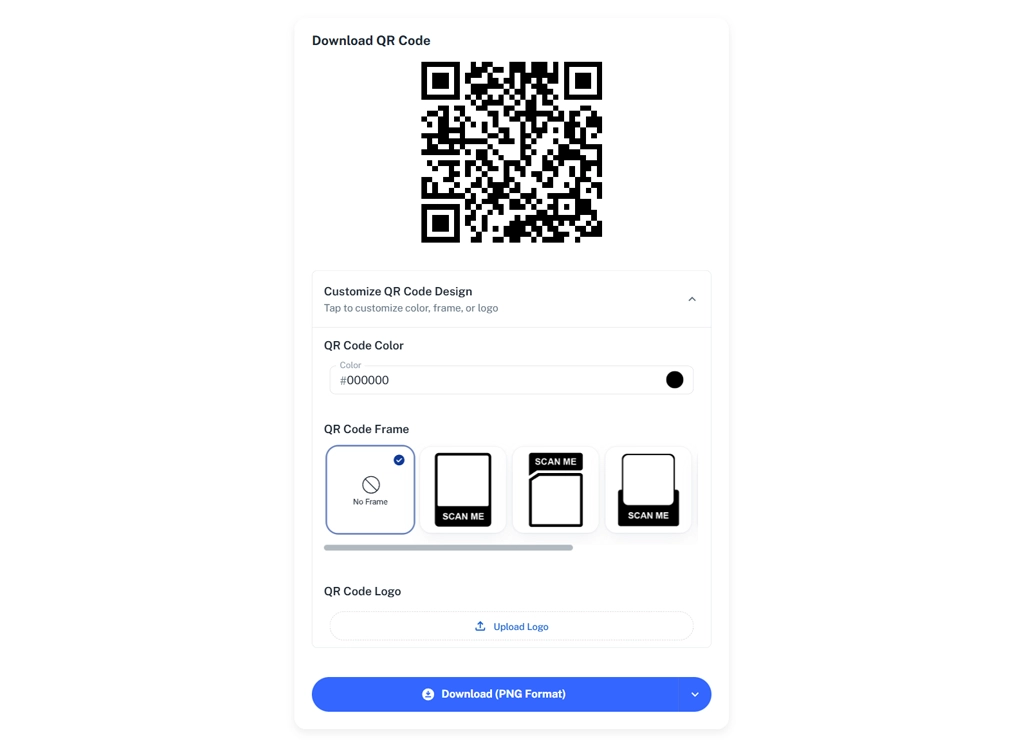
Step 3 — Publish & Download Your QR Code

Step 3 — Publish & Download Your QR Code

Your QR code is ready to use anywhere — print or digital.

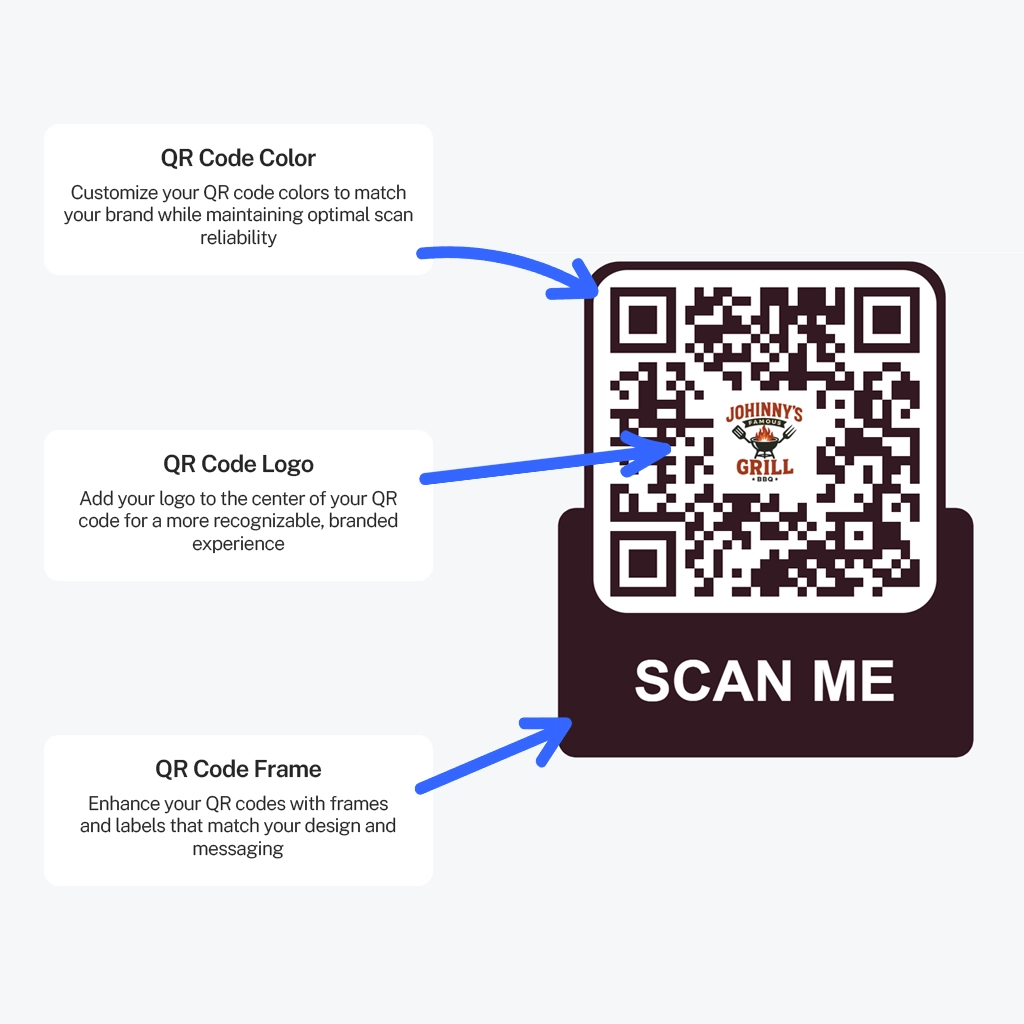
  • Customize the QR design (color, logo, frame)
  • Download your QR code in PNG or SVG
  • Update PDFs anytime without changing the QR code
  • Manage all QR codes from one dashboard
Once published, your QR code stays the same — your content stays flexible.

The Easiest Way to Share PDFs with a Single Scan

Upload catalogs, menus, user manuals, reports, and so much more to instantly generate a dynamic QR code. Share a single PDF file or create a branded PDFs list in seconds.

Smart Viewing Options

Choose exactly how your users experience your content. With flexible viewing modes, PDFQR adapts to the type of documents you’re sharing—whether it’s a single menu, a report, or an entire collection of files.

Customize Your Viewing Experience

Give your PDF pages a professional look that matches your brand. With PDFQR, you can customize every detail to create a polished, cohesive experience.

QR Design Customization

Make every QR code feel uniquely yours. PDFQR lets you personalize the look and style of your QR codes before downloading them, ensuring they match your brand or project.

Why businesses switch to PDFQR

Stop juggling links, folders, and broken QR codes. PDFQR replaces patchwork tools with one reliable, professional system built for sharing PDFs.

.
PDFQR
Basic QR Generators
Cloud File Storage
PDFQR vs Common Alternatives
Built for PDFs
Mobile-friendly PDF viewing
Update PDFs without changing QR
Multiple PDFs per QR code
Branded viewing page
Clean, distraction-free experience
Designed for printing & signage
Professional appearance for customers
One tool, one dashboard
QR codes that never expire

Create Your First PDF QR Code in Minutes

Upload your PDFs, customize the page, and share instantly — no installation required.

Pricing

Unlimited QR Codes for One Flat Price

No extra charges. No hidden fees.

$59

One-Time
Everything You Need to Share PDFs the Modern Way

PDFQR is designed for businesses that depend on stable, always-accessible QR codes. Whether you run a restaurant, manage properties, teach in a classroom, or operate an event, you get unlimited document updates, consistent performance, and a polished viewer experience your customers can trust.

Reliability you can count on:

Frequently Asked Questions

View all frequently asked questions